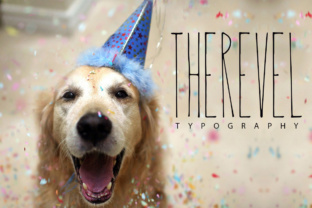
Therevel: A Stretched Sans Serif Font Family Worth Understanding
You have probably seen exaggerated, stretched fonts used on posters, social media graphics, or logos and thought they looked either daring or careless. Therevel occupies a specific place in that world—a fun, intentionally stretched sans serif family that offers four distinct variations: Regular, Black, Doble, and Thin. But like any distinctive typeface, using it well requires more than just downloading and typing. Many people jump in without considering how these stretched forms behave across different contexts, and the results can undermine their message, waste money, or create readability nightmares.
This article walks through the most common mistakes surrounding Therevel—from choosing the wrong variation to applying it where it doesn’t belong—and offers straightforward, practical advice so you can use it effectively without regret.
Mistaking “Stretched” for “Condensed” or “Expanded”
One of the first misunderstandings happens before you even open a design file. People hear “stretched” and assume it behaves like a standard condensed or expanded sans serif. But Therevel is not merely a horizontally compressed or widened version of a normal font. Its letterforms are intentionally exaggerated, with elongated proportions that give it a playful, almost caricatured look.
The mistake is treating it as a substitute for a more neutral extended typeface. If you need something professional and understated for body text, Therevel is likely the wrong choice. The Regular weight already has a stretched feel, and the Black variation is even more dramatic. Applying it to a formal business report or a legal document will likely make the content hard to take seriously.
What to do instead: Before using Therevel, ask yourself whether the project needs personality and a sense of motion. If the answer is yes—think banners, headlines, poster titles, or playful branding—then stretched makes sense. If you need clarity and neutrality, look elsewhere. Save Therevel for moments where its character adds value.
Overlooking the Differences Among the Four Variations
Therevel comes in Regular, Black, Doble, and Thin. Each one changes not only the weight but also the perceived stretch and readability. A common oversight is treating them as interchangeable—choosing Black because it looks bold on a packaging mockup, then discovering it becomes illegible when scaled down for a website button.
Consider the Doble variation. Its name suggests a double or extra-stretched form, which can be exciting for large display use but quickly becomes a tangled mess at small sizes. Similarly, Thin can look elegant and airy at 48pt but disappears entirely when used for subheadings at 14pt.
How to avoid this: Always test each variation at the actual size and medium you intend to use. Print a sample, preview on screen, or create a mockup. For headlines above 36pt, Black or Doble can make a strong statement. For secondary text or smaller accents, Regular or Thin often work better. Don’t assume one weight covers all needs—mix them strategically within a single project if you want consistent visual hierarchy.
Poor Pairing with Other Fonts
Because Therevel’s stretched forms are so distinctive, they demand careful companion typefaces. A frequent error is pairing Therevel with another heavily styled or decorative font, creating visual chaos. For example, combining Therevel Black with a script font that already has exaggerated loops can make a poster look like a competition of competing voices.
Another mistake is using a very narrow or very wide font alongside Therevel. If you pair its stretched Regular with a compressed sans, the contrast can feel jarring rather than intentional. The stretched shapes of Therevel already extend horizontally; adding another extended font may create a monotonous, stretched-out look.
Better approach: Choose a more neutral, straightforward sans serif as the supporting font. Something like a standard geometric sans (clean, even strokes) or a simple serif for contrast will let Therevel retain its spotlight without fighting for attention. For instance, for a bold title in Therevel Doble, use a calm, regular-weight sans for body copy. Keep the pairing ratio simple—one expressive voice, one quiet one.
Ignoring Spacing and Kerning Adjustments
Stretched fonts can create optical illusions around spacing. The letters in Therevel are elongated, which means the spaces between characters can appear inconsistent. Many beginners apply default kerning from their design software and wonder why the text looks uneven—especially in all caps or with certain letter combinations like AV or LT.
In Doble and Black variations, the problem intensifies. The stem strokes are thicker, and the stretched forms can make letters almost collide visually if spacing isn’t manually adjusted. Thin, on the other hand, may need slightly more generous tracking to avoid looking spindly.
Practical fix: After placing your text, turn on optical or metrics kerning and then manually adjust problem pairs. Increase tracking slightly for headings in Black or Doble to give each letter room to breathe. For Thin, a little extra letter-spacing can improve legibility. Always view your text at the actual output size—what looks fine at 200% zoom may appear cramped in print.
Using Therevel in Contexts Where Readability Matters Most
Because Therevel is fun and stretched, it can be tempting to use it for everything from a logo to a paragraph of text. That’s a recipe for fatigue. The font’s horizontal sweep makes scanning longer passages difficult. Even the Regular weight, which is the most restrained, becomes tiring in paragraphs.
Think about real-world examples: a promotional flyer for a music festival might use Therevel Black for the artist name and Therevel Regular for the date and venue. That works. Using Therevel for the full event description, pricing, and fine print will likely cause readers to skip important details or misread numbers.
What to check: Ask yourself how much text a viewer really needs to read. If it’s more than a line or two at a glance, choose a more legible typeface for the bulk of the content. Reserve Therevel for headline-sized elements where its stretched character can be appreciated without causing reading fatigue.
Neglecting to Test Across Different Sizes and Media
Fonts that look amazing on a high-resolution screen at 72pt can look completely different when printed on a 4-inch label or displayed on a phone at 16pt. Therevel’s stretched forms are especially sensitive to scaling. The thin strokes of the Thin variation can break up at small sizes, while the boldness of Black may bleed together if printed on absorbent paper or low-resolution digital signage.
A mistake many freelancers and small business owners make is downloading Therevel, using it immediately in a design, and sending it to print without testing. The result is wasted materials and frustration.
How to avoid this: Always create a test file with multiple sizes and the exact output medium if possible. Print a sample at actual size. View it on the device your audience will use. Adjust tracking and kerning as needed. If you are buying a commercial license, check whether the foundry provides test fonts or trial versions—use those to validate before committing to a full project.
Overlooking Licensing and Download Details
Therevel is a mini family with four variations, but that doesn’t mean it’s always free. Many users assume “mini family” implies a free or cheap download, then later realize the license only covers personal use or a limited number of desktop installations.
Common oversights include neglecting to check the license for web embedding, app usage, or logo reproduction. If you’re a small business owner creating a brand logo with Therevel, you may need an extended license. Using a personal-use license for commercial work can lead to cease-and-desist letters or additional fees down the road.
Better practice: Before downloading, read the license terms thoroughly. If the foundry’s site is unclear, email them. Confirm whether you can use Therevel in the specific way you need—web font, print, logo, merchandise. Keep a copy of the license file. For one-off projects, consider purchasing a single-weight license rather than the whole family to save money.
Treating Stretched Fonts as a Trend Instead of a Tool
Finally, a mindset mistake: using Therevel just because it looks trendy or “different.” Stretched sans serifs can feel fresh, but they also carry strong connotations. Used carelessly, they can make a brand look amateurish or like it’s chasing a passing style.
Think of Therevel as a tool with a specific job. It works beautifully for emphasizing a single word, creating a dynamic poster headline, or adding a touch of playfulness to a social media graphic. It does not work as a default system font or as a substitute for a well-rounded type family.
The right approach: Evaluate every use with the question, “Does the stretched form enhance the message, or is it just decorative?” If it adds meaning—such as conveying speed, fun, or expansion—then go ahead. If it’s just there to look cool, consider whether a more restrained typeface would serve the content better. Good design uses distinctive fonts intentionally, not impulsively.
Therevel offers a unique voice among stretched sans serifs, but its value depends entirely on how you choose, pair, and apply its four variations. Avoid the common pitfalls by testing thoroughly, respecting readability, checking licenses, and using each weight where it naturally excels. When done right, Therevel can elevate your work with personality and clarity. When done wrong, it becomes a distraction. You now have the practical advice to make the right call.