Sweet
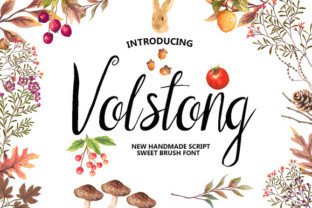
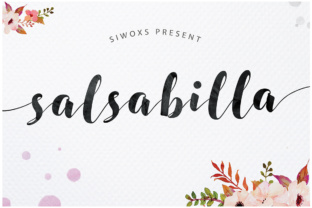
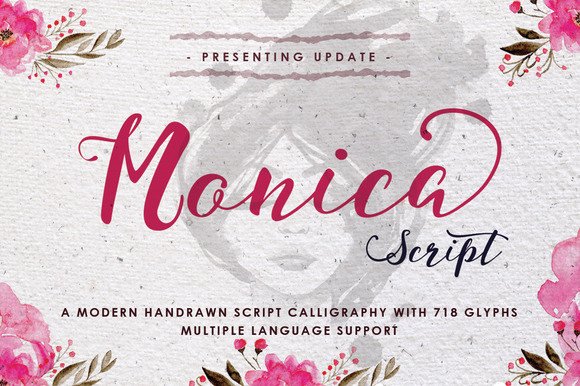
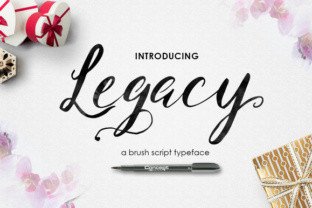
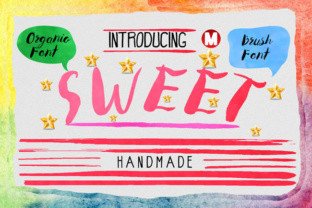
There’s something about a font that feels like it was drawn by hand, not by code. Sweet is exactly that kind of typeface—a handmade, organic brush font that brings warmth and personality to any project. Unlike clean, geometric sans-serifs or stiff serifs, Sweet carries the natural imperfections of a real brush stroke. Slight pressure variations, uneven edges, and a lively bounce make it feel personal, not mechanical. For anyone who works with visual communication—whether you’re a small business owner, a stationery designer, or someone just planning a special event—Sweet offers a way to make words feel human again.
Where Sweet Shines: Real Projects, Real Results
The beauty of Sweet is that it doesn’t belong to one single use case. Its organic charm works across a wide range of real-world situations, and that’s what makes it worth considering when you want a font that speaks with a friendly, authentic voice. Let’s walk through where it truly stands out.
Invitations That Feel Personal From the Start
If you’ve ever put together an invitation for a wedding, a birthday party, or a baby shower, you know the pressure of balancing formality with warmth. A clean script font can feel cold, while a fancy calligraphy style sometimes comes across as too fussy. Sweet sits somewhere in the middle. It’s casual enough for a laid-back backyard wedding, but polished enough for a religious ceremony or an intimate dinner party. I’ve seen people use Sweet in two-line layouts—pairing it with a simple serif for the main details and letting the brush script handle the headline. The result is an invitation that people actually want to keep as a memento, not just toss after the event.
Think about the feeling you want someone to get when they open an envelope: excitement, warmth, maybe even a little nostalgia. Sweet delivers that. One friend of mine designed her entire wedding suite using Sweet for the couple’s names and a thin sans-serif for logistical info. She told me guests kept commenting on how “the writing looked like it was done by hand.” That’s the Sweet effect—it blurs the line between a printed piece and a handwritten note.
Branding That Connects Instead of Selling
Branding is about emotion as much as it is about identity. In a world where so many logos lean on minimalist, corporate-friendly fonts, an organic brush typeface like Sweet can be a breath of fresh air. It works especially well for businesses that want to emphasize craftsmanship, small-scale production, or personal service. Picture a coffee shop that roasts its own beans, a bakery with a farm-to-table ethos, or a skincare brand that makes small batches by hand. Sweet fits those personalities perfectly.
I’ve watched a local candle maker redesign her entire label system around Sweet. She liked that the font felt “unfinished” in the best sense—like it hadn’t been perfected by a machine. Her customers reported feeling closer to the brand, as if each candle was a personal creation rather than something mass-produced. That’s a real-world benefit: Sweet can help a business look approachable without sacrificing professionalism.
Greeting Cards That Say It Without Words
Greeting cards are another domain where Sweet truly earns its keep. Whether you’re designing a line of cards to sell on Etsy or creating a one-off birthday card for a friend, the font does much of the emotional heavy lifting. A heartfelt “Thank You” or “Thinking of You” set in Sweet looks sincere—it doesn’t feel like a template. I’ve noticed that cards using Sweet for sentiments often sell better at artisan markets compared to cards with generic script fonts. The handmade quality of Sweet makes the message feel custom, even when the card is a short run.
For those who make greeting cards as a side gig, Sweet can be a huge time-saver. Instead of hand-lettering every single card (which costs time and energy), you can design a template with Sweet and print a batch that still carries that hand-lettered look. The organic variations in the font mean the text never looks exactly the same twice, which adds to the charm.
Who Really Benefits From Sweet?
It’s easy to think of “designers” as the primary audience for a font, but Sweet has surprising reach across different types of people and industries.
- Event planners – Whether you’re coordinating a corporate gala or a friend’s garden wedding, using Sweet on signage, menus, and place cards gives everything a cohesive, artisanal feel. Guests notice the difference.
- Social media content creators – Instagram quotes, Pinterest pins, even YouTube thumbnails—Sweet adds personality to text overlays without needing heavy graphic design skills. A simple quote set in Sweet can stand on its own against a beautiful photo.
- Small business owners – If you run a boutique, a salon, or a craft brewery, Sweet can become a key part of your visual identity. It tells customers you care about the little things.
- DIY crafters – People who make custom T-shirts, mugs, posters, or home décor items appreciate that Sweet works just as well on a canvas print as it does on a digital file.
- Nonprofit organizations – For campaigns that focus on community, empathy, or human connection, Sweet adds a gentle, trustworthy tone. Fundraising letters, awareness posters, and volunteer thank-you notes all benefit from its warmth.
I’ve seen a photographer use Sweet on her website’s hero section because she wanted her brand to feel “inviting, not intimidating.” That’s a consideration many creative professionals overlook: the font you choose sets the emotional tone before anyone reads a single word. With Sweet, you’re essentially telling visitors, “This is a place where people care.”
Practical Considerations Before You Download
Before you start using Sweet in your next project, there are a few things worth thinking about. Not every project is a natural fit, and that’s okay. Knowing where Sweet works best—and where it might struggle—helps you use it more effectively.
Legibility at Small Sizes
Because Sweet is a brush font with natural variation, it’s not the most legible choice for tiny text. Body copy under 14 or 16 points can start to blur together, especially in printed materials. Reserve Sweet for headlines, subheadings, or short phrases of no more than a few words. For longer passages, pair it with a clean, readable sans-serif or a simple slab serif. That combo keeps your design accessible while still injecting personality.
Matching With Other Fonts
Sweet is a bold, expressive typeface, so it needs partners that won’t compete. I’ve found it works well with ultra-light or neutral fonts like Montserrat Light, Open Sans, or Lato Hairline. Avoid pairing Sweet with another brush or script font—it can create visual clutter. A good rule of thumb: if your second font feels like it’s whispering, then Sweet gets to sing.
Licensing and File Formats
Depending on where you get Sweet, the licensing terms may vary. If you’re using it for commercial work—like branding, selling products, or creating content for clients—make sure you have the appropriate license. Some free versions only allow personal use. Investing in a commercial license upfront saves headaches later. Also check that you have the file formats you need: OTF, TTF, and sometimes WOFF for web use. The font should work across design software like Adobe Creative Suite, Canva, Procreate, and even Microsoft Word if you’re feeling adventurous.
Limitations in Formal Contexts
Sweet is not a corporate boardroom font. It’s not going to lend authority to legal documents, official reports, or high-end financial branding. If your industry demands seriousness and distance, Sweet might feel too friendly. That’s not a flaw—it’s a feature. Knowing when not to use Sweet is as important as knowing when it’s perfect. For example, a medical clinic might avoid it because it could undermine the perception of professionalism. But a pediatrician’s office? Sweet could be exactly right for posters and patient welcome materials.
Making Sweet Work Across Different Mediums
Digital and print behave differently, and Sweet adapts to both—with a few considerations.
In print: Sweet looks incredible on textured paper, kraft cardstock, and anything with a matte finish. The subtle irregularities in the font stand out against rough surfaces, which mimics the original hand-drawn look. For gloss or coated paper, the contrast is still good, but you lose a bit of the organic charm. If you’re printing posters, try using Sweet at large sizes—around 72 points or more—where every brush stroke has room to breathe.
On screen: For websites or digital ads, Sweet works best as display text. Keep it at 24 points or larger, and allow generous spacing between letters (tracking) to improve readability. In Canva, Instagram Stories, or PowerPoint, the font holds up well. Just watch out: very thin strokes in the font may disappear on bright backgrounds or low-resolution screens. A subtle drop shadow or a dark background helps maintain visibility.
One designer I know uses Sweet for email newsletter headers. She says that the handwritten feel makes readers more likely to open her messages—it cuts through the noise of clean, corporate fonts. That anecdote matches what many of us have experienced: we respond to things that feel human.
Getting the Most Out of Sweet
If you’ve already got Sweet or you’re about to download it, here are a few practical ways to maximize its impact:
- Play with size and weight. Sweet often includes alternate characters or ligatures. Use them to avoid repetition—especially if you’re writing longer words. The organic variations become more noticeable across a sentence.
- Use it for quotes and short punchlines. A single word or short phrase set in Sweet can act as a visual anchor. On posters, that’s the part people remember.
- Combine with hand-drawn elements. Arrows, flourishes, or simple line illustrations that share Sweet’s imperfect style tie the design together.
- Test it in black and white first. Before adding color, see if the font has enough contrast against your background. If it works in grayscale, color only makes it better.
- Share your results. Fonts like Sweet thrive in the creative community. Post your designs, note what worked, and gather feedback.
Sweet reminds us that design doesn’t have to be polished to be powerful. In an age of AI-generated perfect typography, there’s a deep appeal to something that looks like it came from a real hand. Whether you’re crafting a single birthday card or building a complete brand identity, Sweet offers a chance to communicate with warmth. It’s not the right tool for every job, but for the jobs where it fits, nothing else feels quite as natural.